


I have an M1 Mac Mini running the latest version of macOS Sequoia.
I’ve connected it via Ethernet to a switch, using the native onboard Mac Mini Ethernet port. But the ethernet connection cuts out and drops connectivity every 20-30 seconds. The Wi-Fi connection does not have this problem.
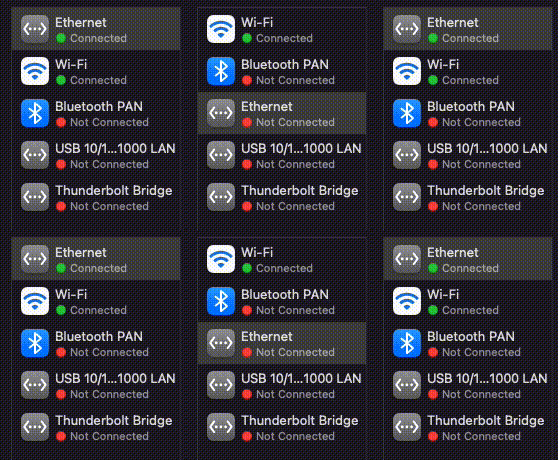
If I leave System Preferences > Network open in the background, I see the Ethernet connection constantly dropping and reordering itself under Wi-Fi. After a few seconds, the Ethernet connection reconnects and again moves to the top of the list.
Ethernet Connected
Ethernet Not Connected
What is wrong with this Ethernet connection? Why is it dropping? How can I fix this issue and hopefully turn off Wi-Fi on this Mac?
Console app shows some potential logging related to this, although I’m not sure what I should be looking for:
kernel | AppleBCM5701Ethernet [en0]: Link down (womp disabled, proxy idle)
Springboard | -[NWSystemPathMonitor updateFlags] Wi-Fi primary: false->true, Ethernet primary: true->false, VPN active: false->false
UserEventAgent | Ethernet signature changed
Using the same setup, same switch, same ethernet cables, but connected to the Mac Mini via a USB-C dock’s ethernet port, works fine. The dock does not drop the connection and reports gigabit speeds. So this appears to only be an issue with the onboard Ethernet port.

